












September 23, 2026
Export Limiting After Firmware Updates: What UK Solar Owners Need to Know
Share my #SolaXStory


One of the most frustrating post-update problems for UK solar owners is simple to describe but awkward to diagnose: your export limiting setting looked correct before the firmware update, yet the site starts exporting differently afterwards. That can create compliance concerns with your DNO agreement, lead to avoidable installer call-backs, and waste time if everyone assumes the firmware alone caused the fault. In practice, export limiting depends on three things working together: saved inverter settings, accurate measurement from the meter or CT, and a monitoring path you can verify properly.
This guide focuses on the checks that matter most after firmware updates. You will see what export limiting actually depends on, how SolaX applies control through the inverter and measurement hardware, which monitoring tools help with routine review, and what evidence to gather before you call your installer.

What export limiting actually depends on
Export limiting is not just a single switch in your solar inverter menu. It is a control function that uses measured grid flow and a saved limit value to stop your solar power system from feeding more electricity to the grid than your site is allowed to export.
The core terms you need first
Export limiting means capping how much power leaves your property and goes to the grid.
Firmware is the inverter's internal software, but it is not the same as your site settings.
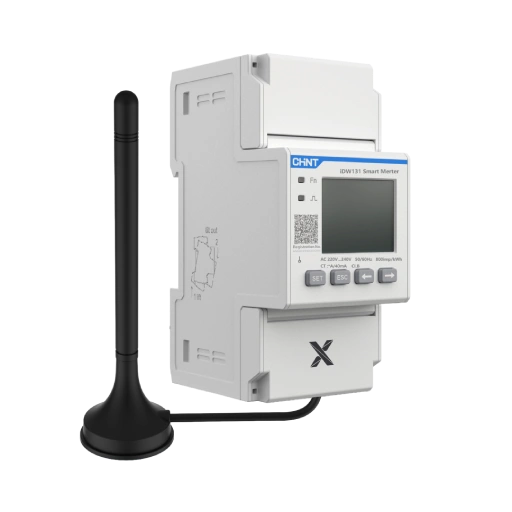
Meter or CT provides the measurement input the inverter needs to manage export.
DNO limit is the export value your system should follow under the relevant connection arrangement.
For UK context, government guidance notes that installers may need to submit a G99 application, or a G100 application when export is limited, before installation in the relevant cases. Moreover, Ofgem's network review highlights the widely used 3.68 kW per phase G98 threshold and the role of export constraints in connection decisions. GOV.UK and Ofgem both show why keeping the configured cap aligned with the agreed site limit matters.
How SolaX applies export control
SolaXCloud is a platform for real-time monitoring and remote control, while the wider smart energy management solution links cloud functions with device coordination and control logic. That matters because the export limit only works properly when the inverter is receiving valid data from the selected meter or CT and the stored control value matches the intended site setting.
Where settings can fail after changes
Common failures after firmware updates usually fall into a short list:
export control is no longer enabled
the saved export value no longer matches the DNO limit
the wrong meter or CT option is selected
cloud and local menus are showing different states
CT orientation or wiring is incorrect
SolaX indicates that export control faults can persist even when settings appear normal if the CT or meter is installed in the wrong place or read incorrectly. That is why measurement integrity matters as much as software review.
How to check a site after any firmware update
A good post-update check is brief, but it should be methodical. The aim is to confirm that the inverter still has the right control instruction and that the measurement input feeding that instruction is trustworthy.
Start with inverter-side settings
Check these items first in the local menu, not only in the cloud view:
confirm export control is enabled
recheck the saved export value against your agreed limit
verify the correct meter or CT mode is selected
confirm any parallel or master-device setting is still correct
This order is useful because a wrong value or disabled function is faster to solve than a field wiring visit.
Then confirm measurement integrity
Next, look at the live grid measurement path:
confirm the inverter is receiving grid information
inspect meter or CT status for live values
verify CT direction and wiring
make sure the sensor is installed at the correct grid connection point
SolaX knowledge-base guidance export control can fail if the CT or meter is placed on the inverter AC port instead of the grid connection point, and incorrect CT direction can also break control behaviour. Those faults can look like firmware issues even when the real cause is hardware placement or polarity.
Use cloud monitoring, but do not trust it on its own
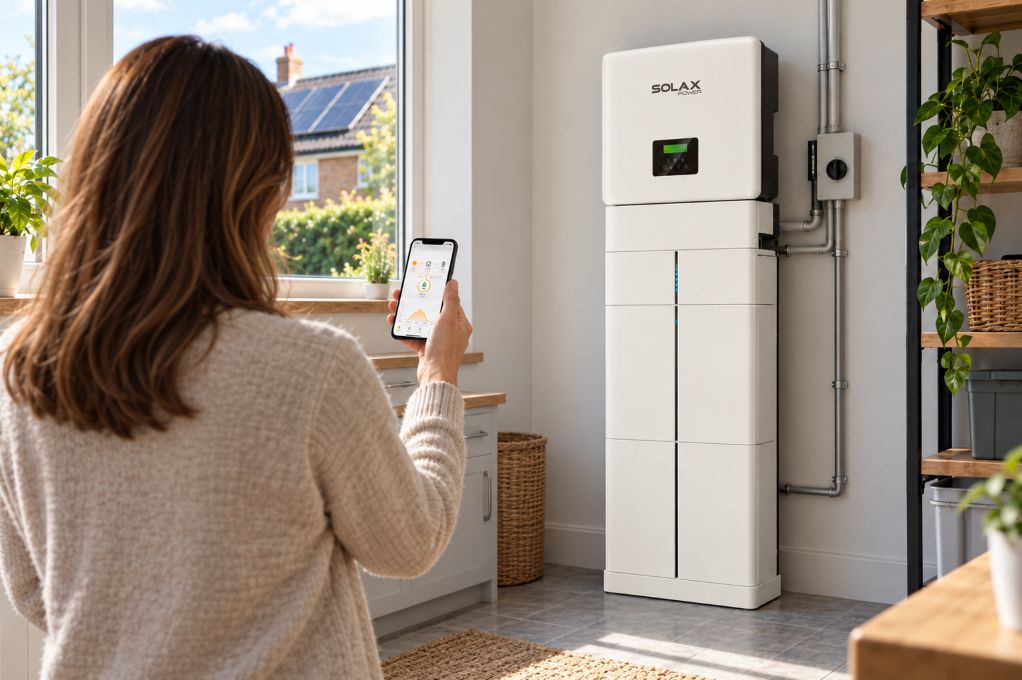
SolaXCloud is best used as a review layer, not the sole proof that export limiting is working. SolaX real-time monitoring, remote device monitoring, and smart energy management functions, which make it useful for spotting post-update anomalies and checking whether values appear to have refreshed.
Before you escalate the issue, do three simple things:
refresh the remote settings view
compare the cloud value with the local inverter menu
save screenshots for installer support
Which SolaX tools fit different UK use cases
Different tools solve different parts of the problem. Therefore, it helps to match the tool to the site rather than expecting one interface to do everything.
SolaXCloud for day-to-day monitoring
For most homeowners, SolaXCloud is the practical first layer. It gives routine visibility into generation, consumption, and remote device status, and SolaX platform supports real-time data access and remote monitoring. That makes it a sensible choice when you want to check whether a firmware update has changed how your smart energy settings appear or behave.
Smart energy management for homes with more moving parts
Homes with a solar battery, EV charger, or more advanced scheduling needs may benefit from SolaX’s broader Smart Energy Management Solutions. The official solution page frames this around multi-device coordination, tariff optimisation, and secure energy management. In other words, if your home is trying to balance self-use, charging, and export limiting, a broader control layer can make the operating workflow clearer.
VPP is for aggregation, not first-line home troubleshooting
SolaX also offers a Virtual Power Plant Solution for distributed asset coordination.SolaX VPP solutions supports protocols such as IEEE 2030.5 and OpenADR for utility and business use. However, for a single UK home with an export cap issue, VPP is not the first fix; local settings, measurement hardware, and monitoring checks matter more.
What to prioritise before calling your installer
You can shorten the support process if you collect the right evidence first. Most export limiting issues are solved faster when the installer can see whether the problem is a saved value, a measurement path, or a communication fault.
The checks that usually solve it faster
Prioritise this sequence:
confirm the latest saved export value
check that local and cloud settings match
verify meter or CT communication is live
capture screenshots of alarms, status pages, and power flow
When hardware matters more than software
Do not assume every post-update problem is caused by firmware. CT polarity errors, meter mapping issues, and master-device mistakes in parallel systems can all mimic a software fault. However, once you rule those out, your installer has a much cleaner path to reviewing the update itself.
Best practices and common mistakes
A stable export limiting routine is mostly about discipline after any change. The aim is not to overcomplicate the site; it is to confirm that the control loop still makes sense.
Best practices
save settings and refresh the view before leaving the menure
check the export value after any firmware update
confirm meter or CT data is present and believable
keep screenshots of local and cloud readings together
Common mistakes to avoid
assuming firmware preserved every previous setting
trusting the cloud display without a local menu check
ignoring CT direction or installation position
treating a measurement fault as a software fault too early
FAQ
Table of Contents
Latest News
Explore expert insights, practical guides, and the latest news on SolaX Power.




To the Latest Newsletter
Stay Ahead with the Latest SolaX Updates!
Subscribe
I have read and agree to Privacy Policy and User Terms