












October 27, 2026
SolaXCloud: Your AI-Powered Energy Management Software
Share my #SolaXStory


Looking for an energy management platform that actually delivers ROI? SolaXCloud combines AI optimization, real-time monitoring, and intuitive control to maximize your solar investment.
Updated for SolaXCloud V7.9 in October 2026, this guide covers the platform's latest AI energy scheduling, regional tariff integration, green energy utilization, plant management and monitoring capabilities—including XHub tariff strategies, flexible TOU schedules and historical battery SOC and tariff data—whether you are a homeowner, C&I energy manager or professional installer.
What is SolaXCloud?
SolaXCloud is an all-in-one smart energy management software designed to give you total control over your solar ecosystem. Whether for home or business, it integrates your solar PV, inverters, batteries, EV chargers, and heat pumps into a single, intelligent interface, creating a cohesive SolaXCloud system.
SolaXCloud V7.9: What's new?
Released on October 23, 2026, SolaXCloud V7.9 adds more flexible energy scheduling, expanded device monitoring and new regional support across the Web and APP:
Spanish OMIE C&I Tariff: Users can select a tariff area and package, enter contracted power for each period, and add fixed tolls, retailer margin and electricity tax. Calculations use OMIE Indicator 817 to better reflect actual electricity bills.
Flexible Residential Scheduling: TOU strategies can run on selected days of the week. XHub users can also set XSchedule price limits for grid charging, discharging to loads and feeding electricity into the grid.
Neo System Control (Beta): In Poland and other supported countries, users with compatible Neo series inverters can access common system settings directly from the APP plant home page.
More Detailed Energy and Battery Data: Historical battery SOC and tariff curves make it easier to compare charging and discharging with electricity prices. Web inverter details now include off-grid yield, while battery details show maximum and minimum cell voltage and temperature.
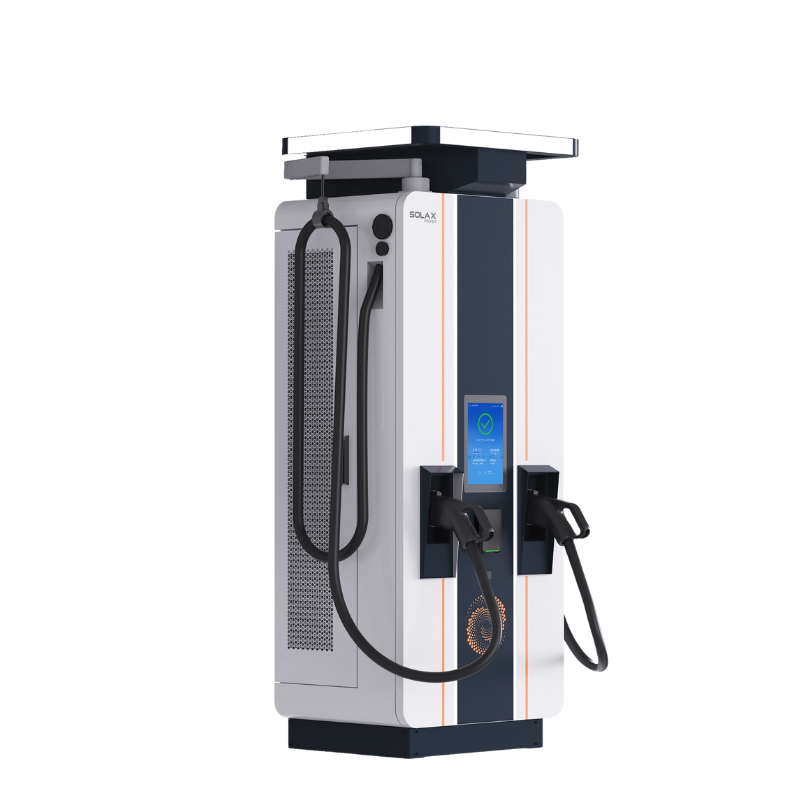
Expanded EV Charger Monitoring: DC EV chargers bundled with C&I storage cabinets now show operating status, charging power, connector status and charged energy. Supported European-standard Gen 2 EV chargers can also display vehicle SOC through PLC communication.
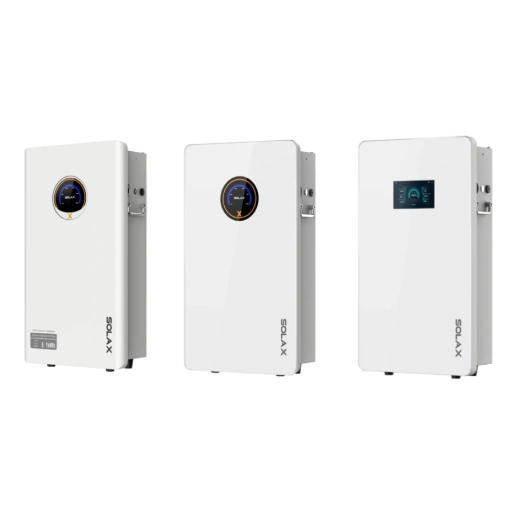
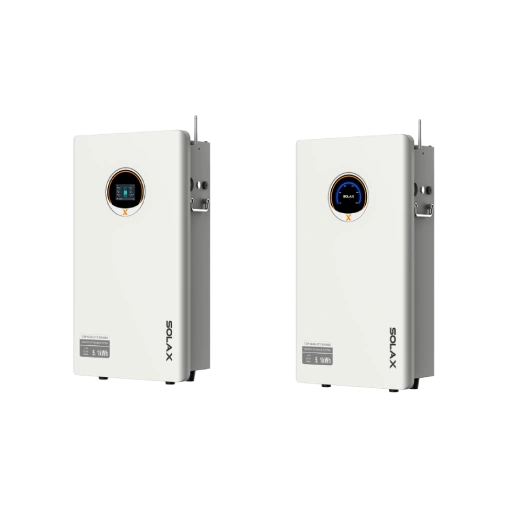
Independent Battery Cloud Connection: Batteries with a built-in XBMS WiFi module, such as HS7 and BD10, can connect independently to SolaXCloud and display XBMS data.
Heat Pump Zone Scheduling: Timer and Holiday schedules can be configured separately for supported zones, with individual times, operating modes and target temperatures.
Connectivity and Message Settings: Compatible 4G devices now display a copyable ICCID, Pocket-4G-4 (India) devices connect to the India IDC, and a Product Message switch lets users control product news and update notifications.
Who uses SolaXCloud?
Homeowners: Monitor real-time PV generation, household consumption, battery status and grid exports. XHub users can adjust load forecasts through Away Mode, planned high-power loads and automatically learned recurring consumption, and set XSchedule tariff limits. Residential users can also assign TOU strategies to selected days of the week.
C&I Energy Managers: Use AI-assisted scheduling, regional C&I tariffs—including the newly integrated Spanish OMIE tariff—second-level operational data and custom-date statistics to understand system performance and optimize energy dispatch. Compatible sites can also monitor DC EV chargers bundled with C&I storage cabinets.
Installers, EPCs and Asset Managers: Monitor multiple plants, search directly for plants and devices, filter plants by channel partner and manage plant access across installer organizations.
Why Choose SolaXCloud?
What are the key benefits of energy management software? SolaXCloud delivers three core advantages that transform how you manage, monitor, and optimize your renewable energy system.
SolaX AI Copilot: Smarter User Experience
SolaX XCopilot is your 24/7 intelligent solar expert, designed to simplify complex energy management through advanced natural language processing.
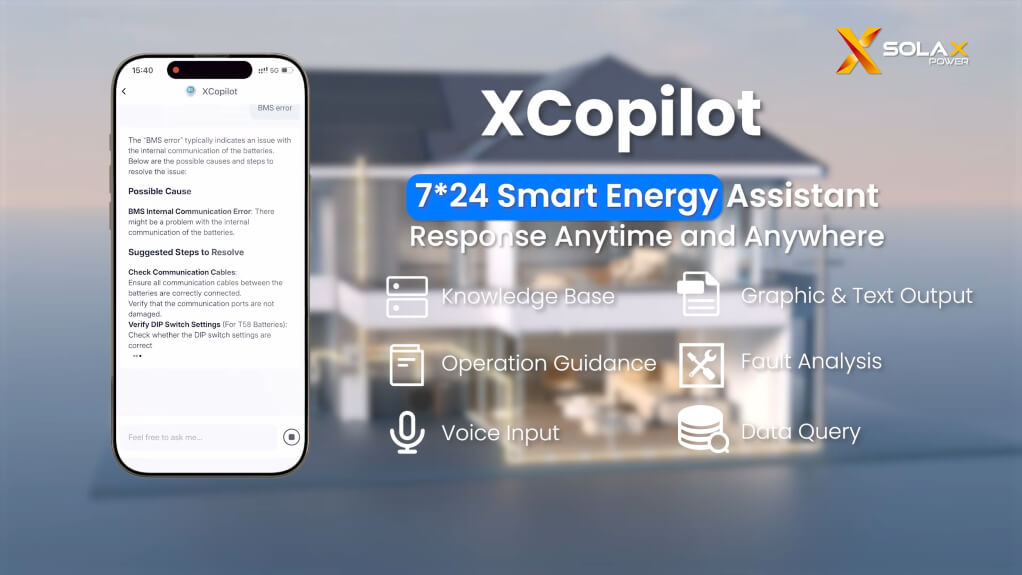
24/7 Instant Assistance: Resolves over 80% of common queries instantly with multilingual support and intuitive visual data charts.
Precision Diagnostics: Deeply integrated with product manuals and error code databases to provide accurate, step-by-step troubleshooting in seconds.
High-Performance Reliability: Features 98% retrieval accuracy and ultra-fast response times (<6s), ensuring dependable support when it matters most.
Simplified Compatibility & Comparisons: Effortlessly check battery compatibility or compare product specs without needing to navigate complex technical jargon.
XSchedule: The Intelligent Engine
As a flagship feature, XSchedule represents the evolution from manual settings to autonomous energy intelligence. It acts as a form of energy risk management software, mitigating the financial impact of fluctuating electricity prices.
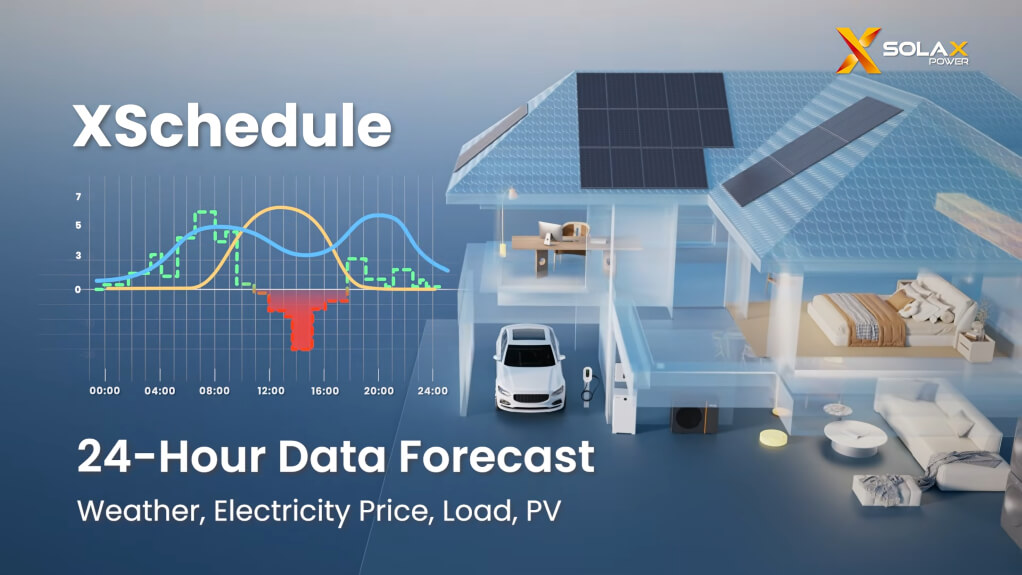
Predictive Optimization: Unlike traditional static rules, XSchedule uses SolaXCloud's 24h weather, load, and tariff forecasting to proactively plan your energy usage.
Explainable AI Decisions: Each XSchedule segment can show why the EMS AI selected a specific working mode, helping users understand the logic behind automated charging, discharging and energy dispatch decisions.
Flexible Tariff Integration: In the Czech market, users can select 15-minute or 60-minute OTE tariff intervals, allowing XSchedule to work with electricity pricing structures commonly used by residential and small-business PV systems.
User-Defined Tariff Limits: XSchedule on XHub lets users set the highest electricity price for charging from the grid, the lowest price for discharging to loads and the lowest price for feeding into the grid. AI scheduling operates within these user-defined boundaries.
Flexible TOU Scheduling: Alongside XSchedule, residential TOU controls let users assign strategies to specific days of the week, making manual schedules easier to match to changing household routines.
Cloud-Edge Synergy: A unique dual-engine design where SolaXCloud calculates the most economic plan (Cloud), while your local EMS ensures precise execution (Edge) even during offline periods.
ROI-Oriented Optimization: XSchedule automatically responds to changing electricity prices, weather conditions and energy demand to help improve self-consumption and reduce energy costs.
Scalable Intelligence: A unified solution accessible via SolaXCloud, designed for both residential users and complex Commercial & Industrial applications.
SolaXCloud: The Intelligent Green Monitor
SolaXCloud transforms system and energy data into clear operational, economic and environmental insights. Recent SolaXCloud updates have improved homepage visibility, second-level data analysis, custom-date statistics, report export and device presentation across the APP and web platform. V7.9 adds historical battery SOC and tariff curves, off-grid yield on Web inverter detail pages, and more detailed battery and EV charger data.

Visible Eco-Metrics: Converts electricity generation into tangible impact, instantly visualizing CO₂ Saved, Trees Equivalent Planted, and coal conserved.
Verified Sustainability Data: Logs lifetime Total Generated Electricity and Contribution Days, providing accurate baselines for personal or corporate ESG reporting.
Dual-Value Dashboard: Unifies ecological achievements with Estimated Economic Benefits, demonstrating the clear ROI of renewable energy choices.
Unified PV Generation Display: The APP and web homepage now show Solar Produced data for all supported low-voltage models across the global IDC.
Advanced Second-Level Data: Displayed values dynamically adapt to the connected device protocol, while charts support multiple metric selections for side-by-side performance analysis.
Streamlined Report Export: Users can export and download data reports through a clearer workflow with fewer steps and more visible processing status.
Consistent Device Diagrams: Unified device diagram styling makes system topology and operating information easier to understand.
Custom-Date Statistics: Energy and revenue data can be filtered by a user-defined date range for more flexible performance analysis.
Shareable Energy Results: APP users can turn selected energy data into images for social media sharing. In Australia, supported data can also be presented through more relatable personal energy stories.
Historical SOC and Tariff Data: Review battery SOC and electricity tariff curves for past dates to compare charging and discharging behaviour with price changes.
Off-Grid Yield and Battery Details: View off-grid yield on Web inverter detail pages and check system-level maximum and minimum cell voltage and temperature in battery details.
Expanded EV Charging Data: Monitor status, charging power, connector status and charged energy for supported DC EV chargers bundled with C&I storage cabinets. Compatible European-standard Gen 2 EV chargers also display current vehicle SOC through PLC communication.
Getting Started with the SolaXCloud Monitoring App
Unlock the full potential of your system with the SolaXCloud APP. In addition to real-time energy monitoring, System Control provides faster access to Automation and Remote Settings, together with an off-grid status indicator for supported systems in selected countries and regions.
V7.9 introduces System Control (Beta) for compatible Neo series inverters in Poland and other supported countries, bringing frequently used settings directly to the plant home page. Supported heat pumps also offer separate Timer and Holiday schedules for individual zones.
SolaXCloud Setup Guide for Homeowners
For home users, the SolaXCloud system offers a seamless way to connect with your home energy system and start monitoring your performance in minutes.
1. Quick Account Registration
In the APP, tap "Sign Up", select your region and follow the available registration method. Standard residential registration may require an email verification code. Registration options can vary by account type and region.
2. Create Your Personalized Energy Site
The APP will guide you to create a "Site," a digital hub for all your connected SolaX devices.
3. Connect and Bind Your SolaX Devices
Add a device by scanning its QR code. Follow the on-screen instructions to connect it to your home Wi-Fi, enabling remote SolaXCloud monitoring from anywhere.
SolaXCloud supports the new-generation XDongle for compatible IES-G2 residential energy storage inverters. With V7.9, batteries with a built-in XBMS WiFi module, such as HS7 and BD10, can also connect independently to SolaXCloud, making XBMS data available in the platform.
SolaXCloud Setup for Professional Installers
For professional installers and distributors, the SolaX Portal APP and web platform provide advanced tools for managing customer sites and your business.
1. Installer Account Registration
If your company is registered, contact your admin. To register a new company, select "Distributor/Installer" and enter your business details.
In selected regions, eligible C&I users can also register and log in with a mobile phone number. Availability depends on the user's country, region and business account type.
2. Account Activation and Verification
New accounts require activation by scanning a SolaX dongle's registration number to verify your professional status.
3. Plant Search and Channel Management
Installer Web now provides global search for frequently used plants, devices and deeply nested functions. Distributors can also filter the plant list by installer or distributor to identify the plants associated with each channel partner.
4. Employee and Team Management
Administrators can add team-member accounts and control which plants Viewer-role users can access. Installers can also batch-share multiple plants with another installer organization, making it easier for EPC contractors to transfer projects to installation, commissioning or maintenance partners.
Start Your SolaXCloud Monitoring Journey
Whether you're a homeowner looking to optimize solar savings or a professional managing complex installations, the SolaXCloud system provides the complete renewable energy management software you need.
For Homeowners: Monitor energy flows, adjust XHub load forecasts and tariff limits, set TOU schedules by day, review historical battery SOC and electricity prices, and improve the use of surplus solar energy.
For C&I Users: Combine AI-assisted scheduling, regional electricity tariffs and detailed operational data, including supported DC EV charger monitoring, to support more informed energy decisions.
For Installers and EPCs: Search and filter plants, manage Viewer access, batch-share projects and use expanded battery and communication-device data to support system monitoring and troubleshooting.
Functions may vary by country or region, account type, connected device, system configuration and device protocol. Features such as specific electricity tariffs, XHub load forecast adjustment and tariff strategies, Neo System Control (Beta), heat pump communication and zone scheduling, EV charger vehicle SOC display, independent XBMS WiFi connectivity and social sharing are available only in supported markets or systems.
Experience the future of renewable energy management with SolaXCloud monitoring, where AI intelligence meets practical energy control.
Table of Contents
Latest News
Explore expert insights, practical guides, and the latest news on SolaX Power.




To the Latest Newsletter
Stay Ahead with the Latest SolaX Updates!
Subscribe
I have read and agree to Privacy Policy and User Terms